New in Live 9
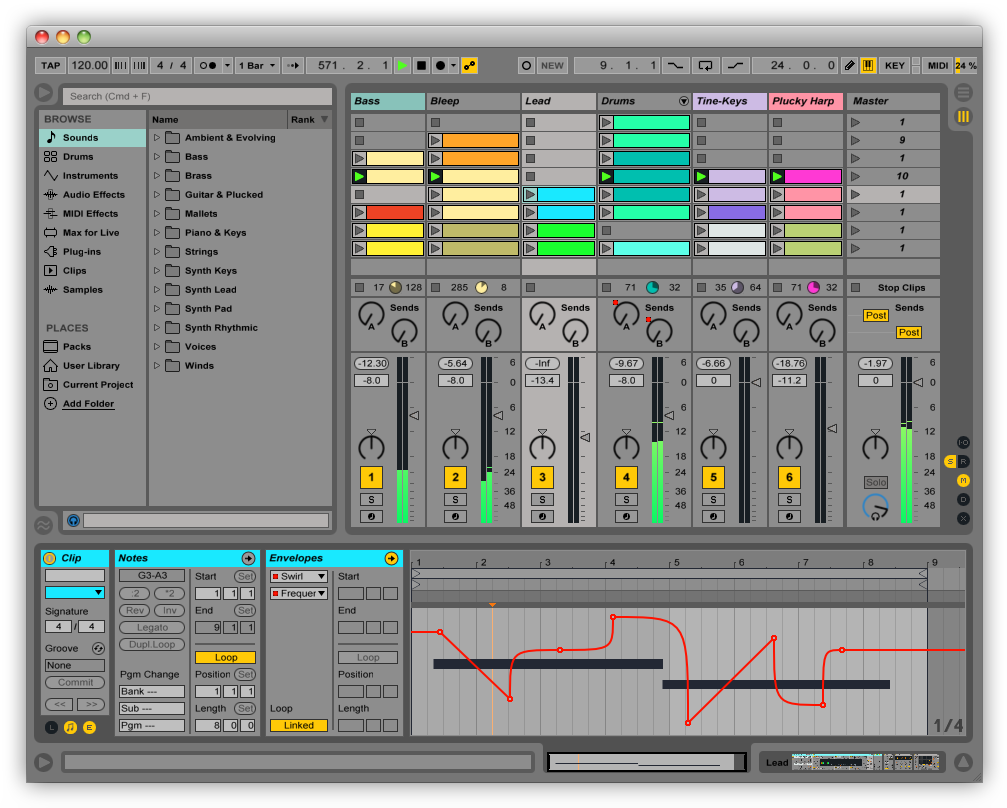
LEARN WHAT'S NEW IN 9Record automation into clips. Edit automation with curves. Session View automation lets you capture your performance or add movement to your loops. Use curves to make automation more musical.
Live’s unique Session View makes it easy to improvise with musical ideas. In Live 9, you can now record parameter changes directly into Session View for even more flexibility. Edit automation curves with the mouse to create smooth mix transitions or radical parameter changes in your clips.
In one click, create new Session View scenes from your Arrangement tracks, or drag and copy individual clips from Arrangement to Session. The automation comes with them, making it easier than ever to move from improvising to arranging and back.

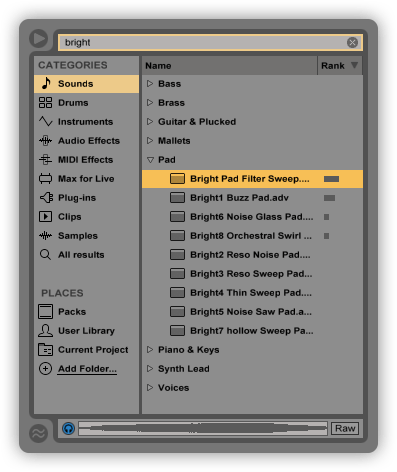
Find sounds fast. With Live’s new browser, spend less time finding sounds and more time making music.
Live’s new browser puts all of your instruments and effects, samples, Packs and VST/Audio Units plug-ins in one easy-to-navigate view. Drag and drop folders into the browser from anywhere on your computer. Search as you type, navigate from the keyboard and sort items by various categories.



Play new sounds. Live’s library includes new Instrument Racks and sounds to get you going fast.
Live 9 Suite comes with more than 3000 production-ready sounds that give you the full range of vintage synthesizers, drum kits and one-shot samples, acoustic instruments and loops - all powered by Live's built-in synthesizers and effects so they can be tweaked and personalized. All sounds are organized for Live 9's new browser and work seamlessly with all common hardware controllers. See the full list of Packs included with Live 9
Browse the Pack store at ableton.com to find even more amazing sounds - signature drum kits by Daniel Miller, Soniccouture, Flatpack and Puremagnetik, new tempo-synched loop collections and high-end multisampled instruments specifically designed for Ableton Live.
Get your sound right. The new analog-modeled Glue Compressor and redesigned studio effects help you get a better sound in less time.
Live’s new Glue Compressor, developed in collaboration with Cytomic, is modeled on a classic 80s console bus compressor, both for its great sound and also to provide musical results with a simple set of controls. Live’s studio effects - Compressor, Gate and EQ Eight - have been improved with new displays, enhanced controls and better sound, making it easier to see and hear your changes.
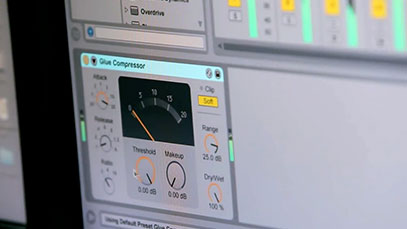
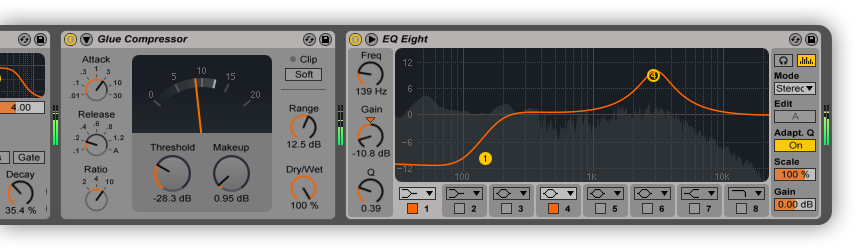
The Glue Compressor is an analog-modeled compressor based on the bus compressor from a classic console from the 80s.
EQ Eight now has a breakout display, an Audition mode for soloing frequencies, an analog-style adaptive Q option, and improved filters.
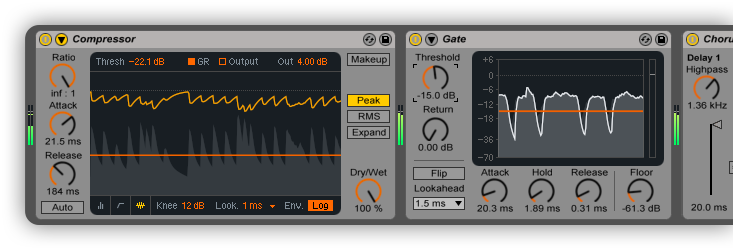
Compressor’s new display makes it clear what’s happening. And improved sound means better results with less effort.
Gate – a new display and enhanced controls make it easier to dial in the right sound.

Reclaim the music in your samples....Live 9’s new tools for converting audio to MIDI give you unprecedented flexibility to extract musical ideas from your samples and build upon them.
Convert your favorite drum break with the Drums-to-MIDI feature and reuse it with your own sounds. Speed up your remixing work by using Harmony-to-MIDI to get the notes and chords from the original audio stems. Or simply seed your creativity with inspiring, natural-feeling MIDI grabbed directly from the most exciting parts of your music collection.

...or sing the music in your head. Sketch out ideas quickly by singing (or beatboxing) into Live and converting your recording to MIDI.
Your voice is the new keyboard: sing, beatbox, tap a rhythm on your desk, or play any solo instrument to capture your musical ideas as they come. Then use the Melody- or Drums-to-MIDI feature to turn your recordings into MIDI clips that you can edit and reuse with any sound.
Edit the details. Powerful MIDI note manipulation tools and an improved editing workflow help you create new musical ideas fast.
Transform MIDI notes
New controls in the MIDI editor let you quickly invert, reverse, transpose and speed up or slow down selected MIDI notes in a single click.Move notes on and off the grid
Beats are easier to see when editing, and editing grids are now “sticky,” allowing notes to be freely moved and resized while still snapping when close to grid lines.Stretch MIDI notes
MIDI Note Stretch markers let you speed up, slow down - or even reverse - selected MIDI notes.Warp clip automation
Audio clip automation is warped alongside the audio itself. Envelopes in MIDI clips can be stretched using MIDI stretch markers.Edit automation more easily
Add or remove breakpoints with a single click. Hover the mouse near envelope segments to select and drag them without using a modifier.Add curves to automation
Hold a modifier while dragging to create and edit curves in automation envelopes.


Max for Live is now included in Suite.Expand and extend your musical possibilities with Max for Live.
Max for Live, based on Cycling 74's Max 6, is now included with Live 9 Suite. Get access to all of the 900+ devices built by the Max for Live community.
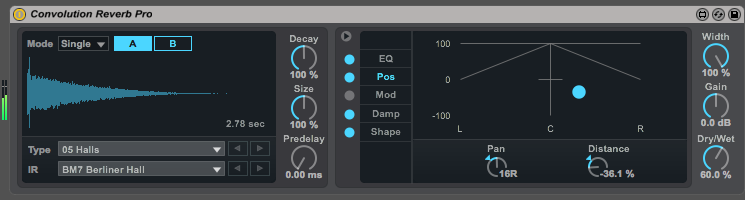
Learn more about what's possible with Max for LiveExplore new Max for Live devices. Get 24 new instruments and effects with Max for Live - including a convolution reverb.



Introducing Push. An instrument for song creation.
LEARN MORE
Save 25% on Ableton Live 8
+
Get a Free Upgrade to Live 9
Live 9 comes in three editions: Intro, Standard and Suite. The editions share common features, but Standard and Suite have additional features, Instruments, Packs and Effects.
Already own Live? Log in to see your upgrade offers.
Live 9 Intro
The essentials at a great price
- Some feature limitations
- 3 Instruments
- 26 Effects
- 700+ Sounds (4GB)
EUR 79
Coming Soon
Live 9 Suite
The complete integrated studio
- All features
- 9 Instruments
- 40 Effects
- 3000+ Sounds (50GB)
- Max for Live
EUR 599
Coming Soon
Live 9 Standard
The full features plus extras
- All features
- 3 Instruments
- 37 Effects
- 1100+ Sounds (11GB)
EUR 349
Coming So